Context is key when working with generative AI. If a task needs to be done a particular way, you want that guidance available to Copilot. Instruction files describe not just what code you want but how it should be structured. Now that you’ve built filtering, you’ll explore the instructions Copilot used, add a documentation standard, and apply it to your code.
In this lesson, you will:
- explore how repository instructions and path-scoped instruction files reach the agent.
- update the instructions file to ensure coding standards are followed.
- see the impact of instructions files on code.
Scenario
As any good dev shop, Tailspin Toys has a set of guidelines and requirements for development practices. These include:
- Comments should explain intent and non-obvious decisions rather than restate code.
- Exported functions in
db/andsrc/lib/should document their purpose, parameters, and return values with TSDoc/JSDoc, including an injectabledbargument where present. - Reusable Astro components should document their
Propscontracts, and comments should stay current when related code changes. - Existing formatting and lint guidance should be preserved.
Through the use of instruction files you’ll ensure Copilot has the right information to perform the tasks in alignment with the practices highlighted.
Instruction files
Custom instructions allow you to provide context and preferences to Copilot, so that it can better understand your coding style and requirements. This is a powerful feature that can help you steer Copilot to get more relevant suggestions and code snippets. You can specify your preferred coding conventions, libraries, and even the types of comments you like to include in your code. You can create instructions for your entire repository, or for specific types of files for task-level context.
There are two types of instructions files:
.github/copilot-instructions.md, a single instruction file sent to Copilot for every request for the repository. This file should contain project-level information — context relevant for most chat or CLI requests sent to Copilot. This could include the tech stack being used, an overview of what’s being built, best practices, and other global guidance..github/instructions/*.instructions.mdfiles can be created for specific tasks or file types. You can use them to provide guidelines for particular languages (like TypeScript or Astro), or for tasks like creating a UI component or a new set of unit tests.
Explore the custom instructions files in this project
To help get things started, a set of instructions files has already been included with the starter project. Let’s explore what’s already there before making a change to see the impact.
-
Return to the session from the previous lesson.
-
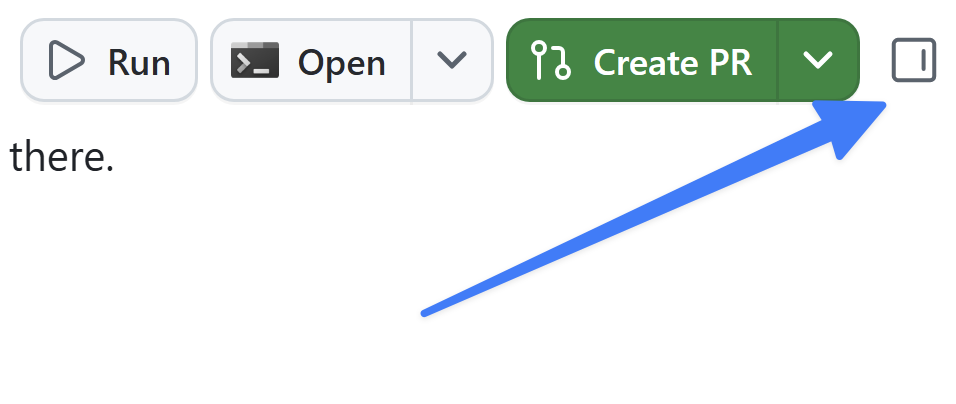
If the review panel is not already visible, open it by selecting Toggle review panel in the upper right.
-
Select the + icon to “Open in panel” to open a new canvas.
-
Select Files.
-
Select the Gear icon, and ensure Show hidden files has a check next to it.
-
Navigate to
.github/copilot-instructions.md. -
Explore the file, noting the brief description of the project plus sections such as Agent notes, Code standards, Scripts, and Repository Structure. Under Code standards, note the nested GitHub Actions Workflows guidance. These are applicable to any interactions you’d have with Copilot.
-
Navigate to the
.github/instructionsfolder and explore the files. Note there are instructions for Astro files, the Drizzle data layer, tests, and more. -
Open
.github/instructions/unit-tests.instructions.md. Note theapplyTofield at the top — this sets a glob (relative to the repo root) that determines which files the instructions apply to. Here, any TypeScript test file (for example, one matching**/*.test.ts) will match. -
Note the instructions specific to creating unit tests for this project.
-
Finally, open
.github/instructions/drizzle.instructions.mdand scroll to the bottom. Note the links to other instruction files (likeunit-tests.instructions.md) and existing files in the project. This lets you break larger instruction sets into smaller, reusable files, and point Copilot at examples to follow when generating code. (Paths there are relative to the instruction file rather than the repo root.)
Update instructions files to match team’s guidance
While the files already built are a good start, there’s still some gaps. Let’s modify the core copilot-instructions.md file to ensure TSDoc comments are added to any newly generated TypeScript files.
-
In the same files canvas, navigate to
.github/copilot-instructions.md. -
Locate the Code formatting requirements header, which should be about halfway down in the file.
-
Add the following as the last bullet point below that header:
All new TypeScript should contain TSDocs comments for documentation purposes.
The file is automatically saved and ready for use!
Use the updated guidance
With the instructions file updated, let’s see the impact it has on the code Copilot generates by asking it to review the update and make the necessary updates.
-
Prompt Copilot to use the instructions files to update the code to match the newly added requirements:
We just updated our instructions and code guidance. Can you please update the code you generated to match that guidance? -
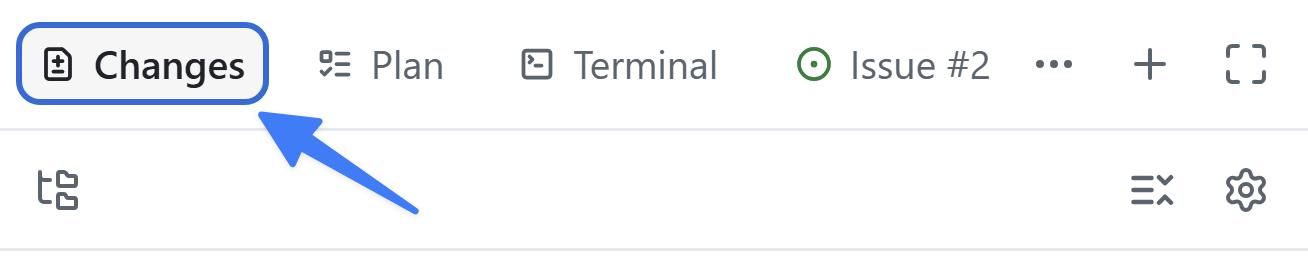
Select Changes in the upper right to open the code changes.
-
Read through any TypeScript files. Note the newly generated TSDocs comments.
Summary and next steps
You explored how the app picks up context from instruction files and applied a new standard to your feature. Specifically, you:
- explored the repository’s
copilot-instructions.mdand path-scoped*.instructions.mdfiles. - updated the instructions file to ensure coding standards are followed.
- saw the impact of instructions files on generated code.
Next, you’ll customize and run the reusable quality-checks skill to ensure linting and tests are run consistently.